01
Select
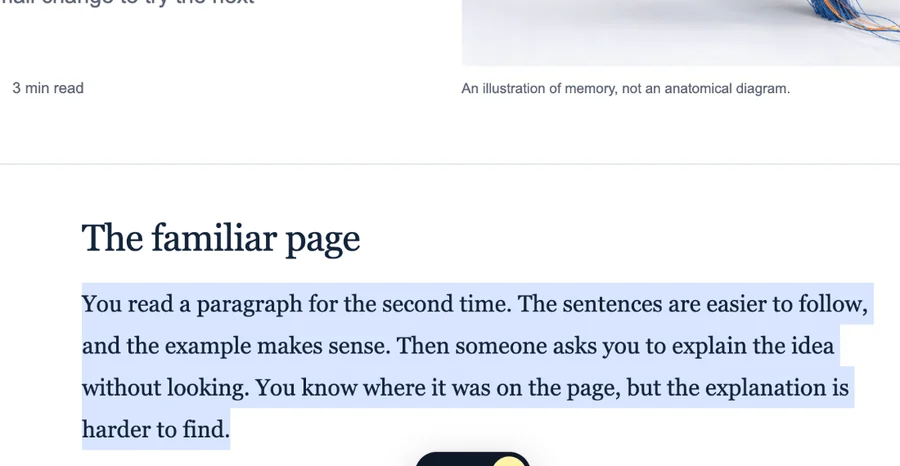
Highlight the exact sentence or paragraph that matters. A small Save button appears next to your selection.
WEB HIGHLIGHTER FOR CHROME

Select useful text on any website, save the exact passage with its source, add a note or folder, and find it again when you need it.
A small Save button appears only when you select text.
Keep the exact passage, its source, and your own note together.
Use folders, Favorites, and the library instead of losing it in bookmarks.
HOW IT WORKS
Research Web Highlighter stays out of the way while you read, then gives you the context you need when something is worth keeping.
Highlight the exact sentence or paragraph that matters. A small Save button appears next to your selection.

Keep the passage together with its source. Add a note when you want to remember why it mattered.

Choose a folder before saving, mark important items as Favorites, and keep projects separated from one another.
YOUR SAVED WEB, IN ONE PLACE
Keep the passage itself, your note, the source, and the folder together. Later, you can reopen the original page when you need the full context.
“A useful system reduces the effort between finding an idea and using it again.”
“Good notes preserve context, not just information.”
ON THE PAGE, WHILE YOU READ
Select text where you found it. The extension appears only when you need it, so you don’t have to copy passages into another app first.

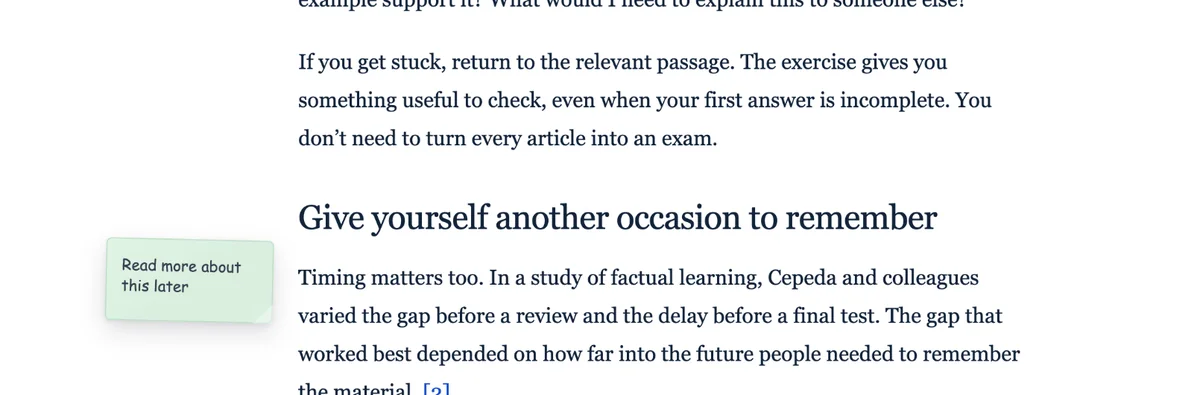
STICKY NOTES ON WEBSITES
Add notes directly to webpages for reminders, questions, comparisons, or anything you want to see when you return.

TRY THE IDEA
This small demo shows the basic interaction. Select a piece of the paragraph, press Save, and it will appear in the mini library.
Saving a page is easy. Remembering why it mattered is harder.
The useful part is often one paragraph in the middle of a page. Keeping that exact passage together with its source makes it much easier to find again later.
MORE THAN A HIGHLIGHTER
Keep the exact text you wanted to remember.
Separate research by topic, project, course, or client.
Keep the most important material one click away.
Keep the URL when the whole source is worth returning to.
Go back to the original webpage whenever context matters.
Leave thoughts directly on the websites you are using.
FAQ
What to know before you install.
A web highlighter lets you select and keep useful text from webpages while you browse. Research Web Highlighter also keeps the source, lets you add notes, and helps you organize saved material.
Yes. Install the extension, select text on a webpage, and use the floating Save button to keep the passage.
Yes. You can place saved items into folders and mark important material as Favorites.
Yes. Whole pages can be saved alongside individual highlights.
Yes. Sticky notes let you leave page-specific reminders and thoughts directly on webpages.
Yes. Saved items keep their source so you can return to the webpage whenever you need the surrounding context.
START FREE
Highlight the text that matters, keep it with its source, and find it again without digging through old tabs and bookmarks.
Add to Chrome — Free ↗