01
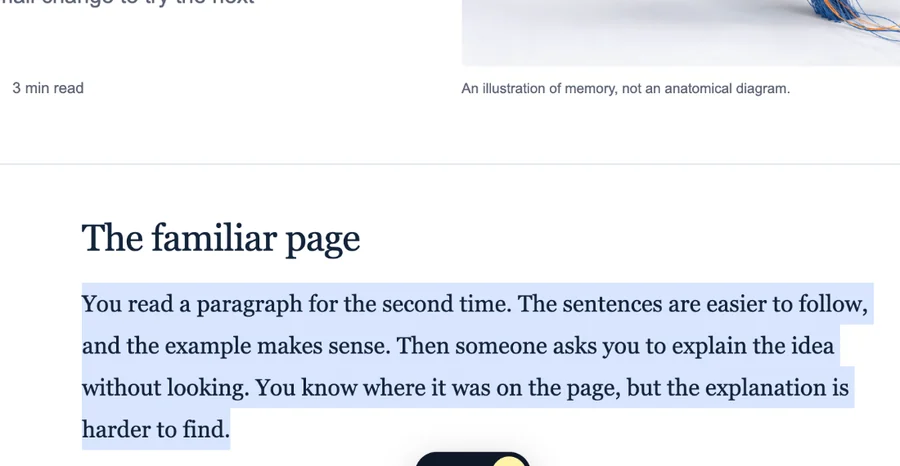
Select the exact passage
Keep the sentence or paragraph that made the page worth saving in the first place.
SAVE WEB HIGHLIGHTS
Highlight text on any website, save the exact passage with its original page, add a note or folder, and find it again without rereading everything.

FROM PAGE TO LIBRARY
The workflow is deliberately short: select, save with context, then find it again when you need it.
Keep the sentence or paragraph that made the page worth saving in the first place.
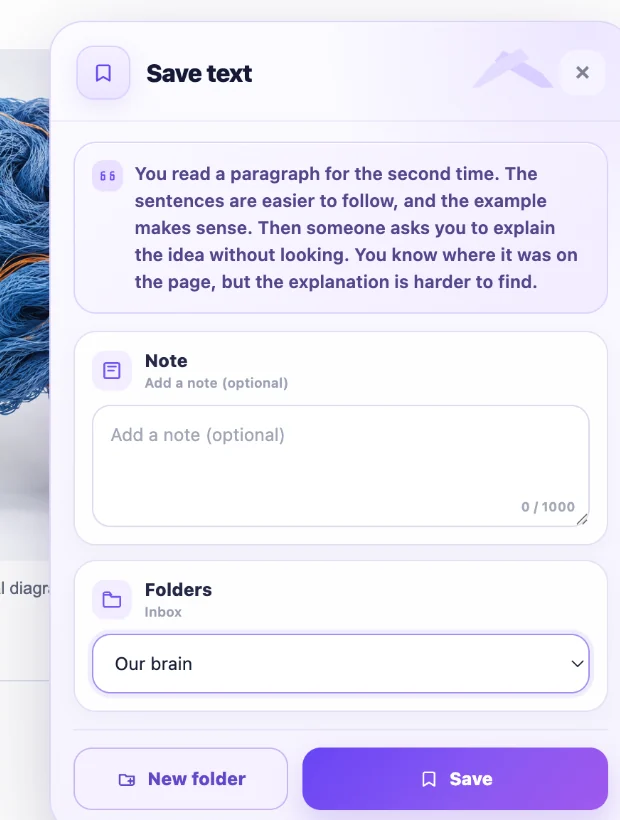
Write a note, choose a folder, and save the passage together with its original source.
“The useful part is often one paragraph in the middle of a page.”
✎ Use this in the introduction.
“Good notes preserve context, not just information.”
Browse your library, folders, and Favorites — then reopen the original page when you need the full context.
WHY NOT JUST BOOKMARK IT?
Bookmarks are useful when the whole page matters. But when one paragraph contains the idea, quote, explanation, or detail you need, saving only the URL leaves you with the same search problem later.
You may have to scan the whole article again.
You can see what mattered before reopening the page.

“The useful part is often one paragraph in the middle of a page.”
✎ Connect this to the literature review.
“Good notes preserve context, not just information.”
FIND IT AGAIN
Keep useful passages grouped by project or topic. Mark important items as Favorites, save whole pages when you need them, and return to the original source whenever the surrounding context matters.
USE CASES
Collect passages from several sources without losing where each one came from.
Keep important explanations and examples together while you learn a topic.
Save the exact evidence or idea you want to return to when you start drafting.
Keep the specific details that matter when you are evaluating options across websites.
PART OF RESEARCH WEB HIGHLIGHTER
Research Web Highlighter also lets you leave page-specific Sticky Notes, save whole pages, use Favorites, and organize everything into folders.
FAQ
The practical questions before you install.
Install Research Web Highlighter, select the text you want to keep, and use the floating Save button. The saved item keeps the passage together with its original source.
Yes. You can add an optional note while saving so you remember why the passage mattered or what you wanted to do with it.
Yes. Saved items can be placed into folders so material from different projects or topics stays separate.
Yes. Saved highlights keep their source so you can reopen the original page whenever you need the surrounding context.
Yes. Research Web Highlighter can save full pages as well as selected text.
Yes. Sticky Notes are included in Research Web Highlighter for reminders and thoughts that belong directly on a specific webpage.
SAVE THE PART THAT MATTERED
Save useful text from websites and build a library you can actually return to.
Add to Chrome — Free ↗